
[fusion_builder_container hundred_percent=“no“ hundred_percent_height=“no“ hundred_percent_height_scroll=“no“ hundred_percent_height_center_content=“yes“ equal_height_columns=“no“ menu_anchor=““ hide_on_mobile=“small-visibility,medium-visibility,large-visibility“ class=““ id=““ background_color=““ background_image=““ background_position=“center center“ background_repeat=“no-repeat“ fade=“no“ background_parallax=“none“ enable_mobile=“no“ parallax_speed=“0.3″ video_mp4=““ video_webm=““ video_ogv=““ video_url=““ video_aspect_ratio=“16:9″ video_loop=“yes“ video_mute=“yes“ video_preview_image=““ border_size=““ border_color=““ border_style=“solid“ margin_top=““ margin_bottom=““ padding_top=““ padding_right=““ padding_bottom=““ padding_left=““][fusion_builder_row][fusion_builder_column type=“1_6″ layout=“1_6″ spacing=““ center_content=“no“ link=““ target=“_self“ min_height=““ hide_on_mobile=“small-visibility,medium-visibility,large-visibility“ class=““ id=““ background_color=““ background_image=““ background_position=“left top“ background_repeat=“no-repeat“ hover_type=“none“ border_size=“0″ border_color=““ border_style=“solid“ border_position=“all“ padding_top=““ padding_right=““ padding_bottom=““ padding_left=““ dimension_margin=““ animation_type=““ animation_direction=“left“ animation_speed=“0.3″ animation_offset=““ last=“no“][/fusion_builder_column][fusion_builder_column type=“2_3″ layout=“2_3″ spacing=““ center_content=“no“ link=““ target=“_self“ min_height=““ hide_on_mobile=“small-visibility,medium-visibility,large-visibility“ class=““ id=““ background_color=““ background_image=““ background_position=“left top“ background_repeat=“no-repeat“ hover_type=“none“ border_size=“0″ border_color=““ border_style=“solid“ border_position=“all“ padding_top=““ padding_right=““ padding_bottom=““ padding_left=““ dimension_margin=““ animation_type=““ animation_direction=“left“ animation_speed=“0.3″ animation_offset=““ last=“no“][fusion_text columns=““ column_min_width=““ column_spacing=““ rule_style=“default“ rule_size=““ rule_color=““ class=““ id=““]
Die Welt in Ihren Karten
Vermessen, Zeichnen und Konstruieren – immer und überall
einfach zu lernen – einfach zu bedienen
Verwalten und designen Sie Ihre Welt und kombinieren Sie Ihre Daten mit OpenData und amtlichen Daten
[/fusion_text][fusion_builder_row_inner][fusion_builder_column_inner type=“1_3″ layout=“1_3″ spacing=““ center_content=“no“ hover_type=“none“ link=““ min_height=““ hide_on_mobile=“small-visibility,medium-visibility,large-visibility“ class=““ id=““ background_color=““ background_image=““ background_position=“left top“ background_repeat=“no-repeat“ border_size=“0″ border_color=““ border_style=“solid“ padding_top=““ padding_right=““ padding_bottom=““ padding_left=““ dimension_margin=““ animation_type=““ animation_direction=“left“ animation_speed=“0.3″ animation_offset=““ last=“no“ border_position=“all“ element_content=““][/fusion_builder_column_inner][fusion_builder_column_inner type=“1_3″ layout=“1_3″ spacing=““ center_content=“no“ hover_type=“none“ link=““ min_height=““ hide_on_mobile=“small-visibility,medium-visibility,large-visibility“ class=““ id=““ background_color=““ background_image=““ background_position=“left top“ background_repeat=“no-repeat“ border_size=“0″ border_color=““ border_style=“solid“ padding_top=““ padding_right=““ padding_bottom=““ padding_left=““ dimension_margin=““ animation_type=““ animation_direction=“left“ animation_speed=“0.3″ animation_offset=““ last=“no“ border_position=“all“][fusion_button link=“https://www.mapservice.de/development/webcaddy/“ text_transform=“none“ title=“WebCADdy im Browser“ target=“_self“ link_attributes=““ alignment=“center“ modal=““ hide_on_mobile=“small-visibility,medium-visibility,large-visibility“ class=““ id=““ color=“custom“ button_gradient_top_color=“rgba(255,255,255,0.56)“ button_gradient_bottom_color=“rgba(255,255,255,0.56)“ button_gradient_top_color_hover=“rgba(206,206,206,0.56)“ button_gradient_bottom_color_hover=“rgba(206,206,206,0.56)“ accent_color=“#1a80b6″ accent_hover_color=“#093a66″ type=“flat“ bevel_color=““ border_width=“2″ size=“medium“ stretch=“yes“ shape=““ icon=“fa-globe fas“ icon_position=“left“ icon_divider=“no“ animation_type=““ animation_direction=“left“ animation_speed=“0.3″ animation_offset=““]WebCADdy im Browser[/fusion_button][fusion_code]PHAgc3R5bGU9InRleHQtYWxpZ246IGNlbnRlcjsgbWFyZ2luOjBweDsiPm9kZXI8L3A+[/fusion_code][fusion_button link=“https://staging.caddy-geomatics.de/wp-content/uploads/2021/05/hot_webcaddypro_v44_aligned.zip“ text_transform=“none“ title=“WebCADdy Pro App“ target=“_self“ link_attributes=““ alignment=“center“ modal=““ hide_on_mobile=“small-visibility,medium-visibility,large-visibility“ class=““ id=““ color=“custom“ button_gradient_top_color=“rgba(255,255,255,0.56)“ button_gradient_bottom_color=“rgba(255,255,255,0.56)“ button_gradient_top_color_hover=“rgba(206,206,206,0.56)“ button_gradient_bottom_color_hover=“rgba(206,206,206,0.56)“ accent_color=“#1a80b6″ accent_hover_color=“#093a66″ type=“flat“ bevel_color=““ border_width=“2″ size=“medium“ stretch=“yes“ shape=““ icon=“fa-android fab“ icon_position=“left“ icon_divider=“no“ animation_type=““ animation_direction=“left“ animation_speed=“0.3″ animation_offset=““]WebCADdy Pro App[/fusion_button][/fusion_builder_column_inner][fusion_builder_column_inner type=“1_3″ layout=“1_3″ spacing=““ center_content=“no“ hover_type=“none“ link=““ min_height=““ hide_on_mobile=“small-visibility,medium-visibility,large-visibility“ class=““ id=““ background_color=““ background_image=““ background_position=“left top“ background_repeat=“no-repeat“ border_size=“0″ border_color=““ border_style=“solid“ padding_top=““ padding_right=““ padding_bottom=““ padding_left=““ dimension_margin=““ animation_type=““ animation_direction=“left“ animation_speed=“0.3″ animation_offset=““ last=“no“ border_position=“all“ element_content=““][/fusion_builder_column_inner][/fusion_builder_row_inner][/fusion_builder_column][fusion_builder_column type=“1_6″ layout=“1_6″ spacing=““ center_content=“no“ link=““ target=“_self“ min_height=““ hide_on_mobile=“small-visibility,medium-visibility,large-visibility“ class=““ id=““ background_color=““ background_image=““ background_position=“left top“ background_repeat=“no-repeat“ hover_type=“none“ border_size=“0″ border_color=““ border_style=“solid“ border_position=“all“ padding_top=““ padding_right=““ padding_bottom=““ padding_left=““ dimension_margin=““ animation_type=““ animation_direction=“left“ animation_speed=“0.3″ animation_offset=““ last=“no“][/fusion_builder_column][/fusion_builder_row][/fusion_builder_container][fusion_builder_container hundred_percent=“no“ hundred_percent_height=“no“ hundred_percent_height_scroll=“no“ hundred_percent_height_center_content=“yes“ equal_height_columns=“no“ menu_anchor=““ hide_on_mobile=“small-visibility,medium-visibility,large-visibility“ class=““ id=““ background_color=““ background_image=““ background_position=“center center“ background_repeat=“no-repeat“ fade=“no“ background_parallax=“none“ enable_mobile=“no“ parallax_speed=“0.3″ video_mp4=““ video_webm=““ video_ogv=““ video_url=““ video_aspect_ratio=“16:9″ video_loop=“yes“ video_mute=“yes“ video_preview_image=““ border_size=““ border_color=““ border_style=“solid“ margin_top=““ margin_bottom=““ padding_top=““ padding_right=““ padding_bottom=““ padding_left=““][fusion_builder_row][fusion_builder_column type=“1_1″ layout=“1_1″ spacing=““ center_content=“no“ link=““ target=“_self“ min_height=““ hide_on_mobile=“small-visibility,medium-visibility,large-visibility“ class=““ id=““ background_color=““ background_image=““ background_position=“left top“ background_repeat=“no-repeat“ hover_type=“none“ border_size=“0″ border_color=““ border_style=“solid“ border_position=“all“ padding_top=““ padding_right=““ padding_bottom=““ padding_left=““ dimension_margin=““ animation_type=““ animation_direction=“left“ animation_speed=“0.3″ animation_offset=““ last=“no“][fusion_separator style_type=“none“ hide_on_mobile=“small-visibility,medium-visibility,large-visibility“ class=““ id=““ sep_color=““ top_margin=““ bottom_margin=““ border_size=““ icon=““ icon_circle=““ icon_circle_color=““ width=““ alignment=“center“ /][/fusion_builder_column][/fusion_builder_row][/fusion_builder_container][fusion_builder_container hundred_percent=“no“ hundred_percent_height=“no“ hundred_percent_height_scroll=“no“ hundred_percent_height_center_content=“yes“ equal_height_columns=“no“ menu_anchor=““ hide_on_mobile=“small-visibility,medium-visibility,large-visibility“ class=““ id=““ background_color=““ background_image=““ background_position=“center center“ background_repeat=“no-repeat“ fade=“no“ background_parallax=“none“ enable_mobile=“no“ parallax_speed=“0.3″ video_mp4=““ video_webm=““ video_ogv=““ video_url=““ video_aspect_ratio=“16:9″ video_loop=“yes“ video_mute=“yes“ video_preview_image=““ border_size=““ border_color=““ border_style=“solid“ margin_top=“50″ margin_bottom=““ padding_top=““ padding_right=““ padding_bottom=““ padding_left=““][fusion_builder_row][fusion_builder_column type=“1_1″ layout=“1_1″ spacing=““ center_content=“no“ link=““ target=“_self“ min_height=““ hide_on_mobile=“small-visibility,medium-visibility,large-visibility“ class=““ id=““ background_color=““ background_image=““ background_position=“left top“ background_repeat=“no-repeat“ hover_type=“none“ border_size=“0″ border_color=““ border_style=“solid“ border_position=“all“ padding_top=““ padding_right=““ padding_bottom=““ padding_left=““ dimension_margin=““ animation_type=““ animation_direction=“left“ animation_speed=“0.3″ animation_offset=““ last=“no“][fusion_content_boxes layout=“icon-on-top“ columns=“4″ title_size=“18px“ title_color=“#18579e“ body_color=““ backgroundcolor=““ icon=““ iconflip=““ iconrotate=““ iconspin=“no“ iconcolor=““ icon_circle=““ icon_circle_radius=““ circlecolor=““ circlebordersize=““ circlebordercolor=““ outercirclebordersize=““ outercirclebordercolor=““ icon_size=““ icon_hover_type=““ hover_accent_color=““ image=““ image_width=““ image_height=““ link_type=““ link_area=““ link_target=““ icon_align=“left“ animation_type=““ animation_delay=““ animation_offset=““ animation_direction=“left“ animation_speed=“0.3″ margin_top=““ margin_bottom=““ hide_on_mobile=“small-visibility,medium-visibility,large-visibility“ class=““ id=““][fusion_content_box title=“Projektmanagement“ backgroundcolor=““ icon=““ iconflip=““ iconrotate=““ iconspin=“no“ iconcolor=““ circlecolor=““ circlebordersize=““ circlebordercolor=““ outercirclebordersize=““ outercirclebordercolor=““ image=“https://staging.caddy-geomatics.de/wp-content/uploads/2020/02/Projektmanagement-300×300.jpg“ image_width=“200″ image_height=“200″ link=“https://www.youtube.com/watch?v=RwPpVXJz3Zw“ linktext=““ link_target=“_blank“ animation_type=““ animation_direction=“left“ animation_speed=“0.3″ animation_offset=““]
Verwalten Sie Ihre Projekte, Mitarbeiter, Zeitkonten, Nutzer und vergeben Sie Zugriffsrechte
[/fusion_content_box][fusion_content_box title=“Import Karten & Geodaten“ backgroundcolor=““ icon=““ iconflip=““ iconrotate=““ iconspin=“no“ iconcolor=““ circlecolor=““ circlebordersize=““ circlebordercolor=““ outercirclebordersize=““ outercirclebordercolor=““ image=“https://staging.caddy-geomatics.de/wp-content/uploads/2020/02/datenimport-300×300.jpg“ image_width=“200″ image_height=“200″ link=“https://www.youtube.com/watch?v=88KZOckkY40&t=6s“ linktext=““ link_target=“_blank“ animation_type=““ animation_direction=“left“ animation_speed=“0.3″ animation_offset=““]
Import GPS-, CSV-, CAD- und GIS-Daten
[/fusion_content_box][fusion_content_box title=“Vermessen, Bearbeiten und Zeichnen“ backgroundcolor=““ icon=““ iconflip=““ iconrotate=““ iconspin=“no“ iconcolor=““ circlecolor=““ circlebordersize=““ circlebordercolor=““ outercirclebordersize=““ outercirclebordercolor=““ image=“https://staging.caddy-geomatics.de/wp-content/uploads/2020/02/vermessen-300×300.jpg“ image_width=“200″ image_height=“200″ link=“https://www.youtube.com/watch?v=5xIPiCGHBPk“ linktext=““ link_target=“_blank“ animation_type=““ animation_direction=“left“ animation_speed=“0.3″ animation_offset=““]
Verwalten Sie Ihre Welt
[/fusion_content_box][fusion_content_box title=“Ebenen & Objektverwaltung“ backgroundcolor=““ icon=““ iconflip=““ iconrotate=““ iconspin=“no“ iconcolor=““ circlecolor=““ circlebordersize=““ circlebordercolor=““ outercirclebordersize=““ outercirclebordercolor=““ image=“https://staging.caddy-geomatics.de/wp-content/uploads/2020/02/ebenen-300×300.jpg“ image_width=“200″ image_height=“200″ link=“https://www.youtube.com/watch?v=gZ605qm1Yjk“ linktext=““ link_target=“_blank“ animation_type=““ animation_direction=“left“ animation_speed=“0.3″ animation_offset=““]
Organisieren Sie die Struktur Ihrer Daten
[/fusion_content_box][fusion_content_box title=“Analysieren “ backgroundcolor=““ icon=““ iconflip=““ iconrotate=““ iconspin=“no“ iconcolor=““ circlecolor=““ circlebordersize=““ circlebordercolor=““ outercirclebordersize=““ outercirclebordercolor=““ image=“https://staging.caddy-geomatics.de/wp-content/uploads/2020/02/analysieren-300×300.jpg“ image_width=“200″ image_height=“200″ link=“https://www.youtube.com/watch?v=NwegDRoRQm8″ linktext=““ link_target=“_blank“ animation_type=““ animation_direction=“left“ animation_speed=“0.3″ animation_offset=““]
Analysieren Sie Ihre Daten nach thematischen und räumlichen Gesichtspunkten
[/fusion_content_box][fusion_content_box title=“Berechnung“ backgroundcolor=““ icon=““ iconflip=““ iconrotate=““ iconspin=“no“ iconcolor=““ circlecolor=““ circlebordersize=““ circlebordercolor=““ outercirclebordersize=““ outercirclebordercolor=““ image=“https://staging.caddy-geomatics.de/wp-content/uploads/2020/02/berechnung-300×300.jpg“ image_width=“200″ image_height=“200″ link=“https://www.youtube.com/watch?v=JmJ7vth-4vw“ linktext=““ link_target=“_blank“ animation_type=““ animation_direction=“left“ animation_speed=“0.3″ animation_offset=““]
Ermitteln Sie Flächen, Abstände und Entfernungen
[/fusion_content_box][fusion_content_box title=“Layoutmanagement“ backgroundcolor=““ icon=““ iconflip=““ iconrotate=““ iconspin=“no“ iconcolor=““ circlecolor=““ circlebordersize=““ circlebordercolor=““ outercirclebordersize=““ outercirclebordercolor=““ image=“https://staging.caddy-geomatics.de/wp-content/uploads/2020/02/layoutmanagement-300×300.jpg“ image_width=“200″ image_height=“200″ link=“https://www.youtube.com/watch?v=qhdZ6Qr8yaI&t=2s“ linktext=““ link_target=“_blank“ animation_type=““ animation_direction=“left“ animation_speed=“0.3″ animation_offset=““]
maßstabsabhängiger Layoutdesigner für freie Gestaltung
[/fusion_content_box][fusion_content_box title=“Datenübergabe“ backgroundcolor=““ icon=““ iconflip=““ iconrotate=““ iconspin=“no“ iconcolor=““ circlecolor=““ circlebordersize=““ circlebordercolor=““ outercirclebordersize=““ outercirclebordercolor=““ image=“https://staging.caddy-geomatics.de/wp-content/uploads/2021/09/Unbenannt-7.png“ image_width=“200″ image_height=“200″ link=“https://www.youtube.com/watch?v=DOYXShca2oo&t=25s“ linktext=““ link_target=“_blank“ animation_type=““ animation_direction=“left“ animation_speed=“0.3″ animation_offset=““]
Export von Daten in CAD-, GIS-Formate oder veröffentlichen Ihrer Daten
in beliebigen Koordinatensystemen und Projektionen (amtl. voreingestellt)
[/fusion_content_box][/fusion_content_boxes][/fusion_builder_column][/fusion_builder_row][/fusion_builder_container][fusion_builder_container hundred_percent=“no“ hundred_percent_height=“no“ hundred_percent_height_scroll=“no“ hundred_percent_height_center_content=“yes“ equal_height_columns=“no“ menu_anchor=““ hide_on_mobile=“small-visibility,medium-visibility,large-visibility“ class=““ id=““ background_color=““ background_image=““ background_position=“center center“ background_repeat=“no-repeat“ fade=“no“ background_parallax=“none“ enable_mobile=“no“ parallax_speed=“0.3″ video_mp4=““ video_webm=““ video_ogv=““ video_url=““ video_aspect_ratio=“16:9″ video_loop=“yes“ video_mute=“yes“ video_preview_image=““ border_size=““ border_color=““ border_style=“solid“ margin_top=““ margin_bottom=““ padding_top=““ padding_right=““ padding_bottom=““ padding_left=““][fusion_builder_row][fusion_builder_column type=“1_6″ layout=“1_6″ spacing=““ center_content=“no“ link=““ target=“_self“ min_height=““ hide_on_mobile=“small-visibility,medium-visibility,large-visibility“ class=““ id=““ background_color=““ background_image=““ background_position=“left top“ background_repeat=“no-repeat“ hover_type=“none“ border_size=“0″ border_color=““ border_style=“solid“ border_position=“all“ padding_top=““ padding_right=““ padding_bottom=““ padding_left=““ dimension_margin=““ animation_type=““ animation_direction=“left“ animation_speed=“0.3″ animation_offset=““ last=“no“][/fusion_builder_column][fusion_builder_column type=“2_3″ layout=“2_3″ spacing=““ center_content=“no“ link=““ target=“_self“ min_height=““ hide_on_mobile=“small-visibility,medium-visibility,large-visibility“ class=““ id=““ background_color=““ background_image=““ background_position=“left top“ background_repeat=“no-repeat“ hover_type=“none“ border_size=“0″ border_color=““ border_style=“solid“ border_position=“all“ padding_top=““ padding_right=““ padding_bottom=““ padding_left=““ dimension_margin=““ animation_type=““ animation_direction=“left“ animation_speed=“0.3″ animation_offset=““ last=“no“][fusion_text columns=““ column_min_width=““ column_spacing=““ rule_style=“default“ rule_size=““ rule_color=““ class=““ id=““]
Geschäftsmodell & Preise
Die Nutzung von WebCADdy ist kostenfrei. Testen Sie es und überzeugen Sie sich selbst.
Wenn Sie mehr als 1000 Objekte verwalten wollen, bezahlen Sie nur die Anzahl der genutzten Objekte oder eine monatliche nutzerabhängige Objekt-Flatrate
[/fusion_text][fusion_pricing_table type=“1″ backgroundcolor=““ background_color_hover=““ bordercolor=““ dividercolor=““ heading_color_style_1=““ heading_color_style_2=““ pricing_color=“#18579e“ body_text_color=““ hide_on_mobile=“small-visibility,medium-visibility,large-visibility“ class=““ id=““ columns=“3″][fusion_pricing_column title=“Free“ standout=“no“][fusion_pricing_price currency=“€“ currency_position=“left“ price=“0″ time=““ ][/fusion_pricing_price][fusion_pricing_row]keine versteckten Kosten[/fusion_pricing_row][fusion_pricing_row]Folgende Features sind enthalten:[/fusion_pricing_row][fusion_pricing_row]- 1000 freie Objekte[/fusion_pricing_row][fusion_pricing_row]- kein Abo[/fusion_pricing_row][fusion_pricing_row]- keine laufenden Kosten[/fusion_pricing_row][fusion_pricing_row]- WebCADdy mit[/fusion_pricing_row][fusion_pricing_row]vollem Funktionsumfang[/fusion_pricing_row][fusion_pricing_footer][fusion_button link=“http://www.mapservice.de/development/webcaddy/registrieren“ text_transform=““ title=““ target=“_self“ link_attributes=““ alignment=““ modal=““ hide_on_mobile=“small-visibility,medium-visibility,large-visibility“ class=““ id=““ color=“default“ button_gradient_top_color=““ button_gradient_bottom_color=““ button_gradient_top_color_hover=““ button_gradient_bottom_color_hover=““ accent_color=““ accent_hover_color=““ type=““ bevel_color=““ border_width=““ size=““ stretch=“default“ shape=““ icon=““ icon_position=“left“ icon_divider=“no“ animation_type=““ animation_direction=“left“ animation_speed=“0.3″ animation_offset=““]Kostenlos Registrieren[/fusion_button][/fusion_pricing_footer][/fusion_pricing_column][fusion_pricing_column title=“Objekte“ standout=“yes“][fusion_pricing_price currency=“€“ currency_position=“left“ price=“19,99 “ time=““ ][/fusion_pricing_price][fusion_pricing_row]für 1000 Objekte[/fusion_pricing_row][fusion_pricing_row]Dieser Kauf enthält 1000 Objekte[/fusion_pricing_row][fusion_pricing_row]- unbegrenzt viele Projekte[/fusion_pricing_row][fusion_pricing_row]- kein Abo[/fusion_pricing_row][fusion_pricing_row]- keine laufenden Kosten[/fusion_pricing_row][fusion_pricing_row]- WebCADdy mit[/fusion_pricing_row][fusion_pricing_row]vollem Funktionsumfang[/fusion_pricing_row][fusion_pricing_footer][fusion_button link=“http://www.mapservice.de/development/webcaddy/registrieren“ text_transform=““ title=““ target=“_self“ link_attributes=““ alignment=““ modal=““ hide_on_mobile=“small-visibility,medium-visibility,large-visibility“ class=““ id=““ color=“default“ button_gradient_top_color=““ button_gradient_bottom_color=““ button_gradient_top_color_hover=““ button_gradient_bottom_color_hover=““ accent_color=““ accent_hover_color=““ type=““ bevel_color=““ border_width=““ size=““ stretch=“default“ shape=““ icon=““ icon_position=“left“ icon_divider=“no“ animation_type=““ animation_direction=“left“ animation_speed=“0.3″ animation_offset=““]Kostenlos Registrieren[/fusion_button][/fusion_pricing_footer][/fusion_pricing_column][fusion_pricing_column title=“Flatfee“ standout=“no“][fusion_pricing_price currency=“€“ currency_position=“left“ price=“20,00″ time=““ ][/fusion_pricing_price][fusion_pricing_row]für 1 Nutzer pro Monat[/fusion_pricing_row][fusion_pricing_row]Unbeschränkt viele Objekte:[/fusion_pricing_row][fusion_pricing_row]3 Nutzer = 30€ pro Monat[/fusion_pricing_row][fusion_pricing_row]15 Nutzer = 75€ pro Monat[/fusion_pricing_row][fusion_pricing_row]25 Nutzer = 150€ pro Monat[/fusion_pricing_row][fusion_pricing_row]50 Nutzer = 300€ pro Monat[/fusion_pricing_row][fusion_pricing_row]100 Nutzer = 450€ pro Monat[/fusion_pricing_row][fusion_pricing_footer][fusion_button link=“http://www.mapservice.de/development/webcaddy/registrieren“ text_transform=““ title=““ target=“_self“ link_attributes=““ alignment=““ modal=““ hide_on_mobile=“small-visibility,medium-visibility,large-visibility“ class=““ id=““ color=“default“ button_gradient_top_color=““ button_gradient_bottom_color=““ button_gradient_top_color_hover=““ button_gradient_bottom_color_hover=““ accent_color=““ accent_hover_color=““ type=““ bevel_color=““ border_width=““ size=““ stretch=“default“ shape=““ icon=““ icon_position=“left“ icon_divider=“no“ animation_type=““ animation_direction=“left“ animation_speed=“0.3″ animation_offset=““]Kostenlos Registrieren[/fusion_button][/fusion_pricing_footer][/fusion_pricing_column][/fusion_pricing_table][/fusion_builder_column][fusion_builder_column type=“1_6″ layout=“1_6″ spacing=““ center_content=“no“ link=““ target=“_self“ min_height=““ hide_on_mobile=“small-visibility,medium-visibility,large-visibility“ class=““ id=““ background_color=““ background_image=““ background_position=“left top“ background_repeat=“no-repeat“ hover_type=“none“ border_size=“0″ border_color=““ border_style=“solid“ border_position=“all“ padding_top=““ padding_right=““ padding_bottom=““ padding_left=““ dimension_margin=““ animation_type=““ animation_direction=“left“ animation_speed=“0.3″ animation_offset=““ last=“no“][/fusion_builder_column][/fusion_builder_row][/fusion_builder_container][fusion_builder_container hundred_percent=“no“ hundred_percent_height=“no“ hundred_percent_height_scroll=“no“ hundred_percent_height_center_content=“yes“ equal_height_columns=“no“ menu_anchor=““ hide_on_mobile=“small-visibility,medium-visibility,large-visibility“ class=““ id=““ background_color=““ background_image=““ background_position=“center center“ background_repeat=“no-repeat“ fade=“no“ background_parallax=“none“ enable_mobile=“no“ parallax_speed=“0.3″ video_mp4=““ video_webm=““ video_ogv=““ video_url=““ video_aspect_ratio=“16:9″ video_loop=“yes“ video_mute=“yes“ video_preview_image=““ border_size=““ border_color=““ border_style=“solid“ margin_top=““ margin_bottom=““ padding_top=““ padding_right=““ padding_bottom=““ padding_left=““][fusion_builder_row][fusion_builder_column type=“1_4″ layout=“1_4″ spacing=““ center_content=“no“ link=““ target=“_self“ min_height=““ hide_on_mobile=“small-visibility,medium-visibility,large-visibility“ class=““ id=““ background_color=““ background_image=““ background_position=“left top“ background_repeat=“no-repeat“ hover_type=“none“ border_size=“0″ border_color=““ border_style=“solid“ border_position=“all“ padding_top=““ padding_right=““ padding_bottom=““ padding_left=““ dimension_margin=““ animation_type=““ animation_direction=“left“ animation_speed=“0.3″ animation_offset=““ last=“no“][/fusion_builder_column][fusion_builder_column type=“1_2″ layout=“1_2″ spacing=““ center_content=“no“ link=““ target=“_self“ min_height=““ hide_on_mobile=“small-visibility,medium-visibility,large-visibility“ class=““ id=““ background_color=““ background_image=““ background_position=“left top“ background_repeat=“no-repeat“ hover_type=“none“ border_size=“0″ border_color=““ border_style=“solid“ border_position=“all“ padding_top=““ padding_right=““ padding_bottom=““ padding_left=““ dimension_margin=““ animation_type=““ animation_direction=“left“ animation_speed=“0.3″ animation_offset=““ last=“no“][fusion_text columns=““ column_min_width=““ column_spacing=““ rule_style=“default“ rule_size=““ rule_color=““ class=““ id=““]
Unsere Beispiele
Die Möglichkeiten von WebCADdy und die Veröffentlichung in einem eigenen WebGIS
[/fusion_text][/fusion_builder_column][fusion_builder_column type=“1_4″ layout=“1_4″ spacing=““ center_content=“no“ link=““ target=“_self“ min_height=““ hide_on_mobile=“small-visibility,medium-visibility,large-visibility“ class=““ id=““ background_color=““ background_image=““ background_position=“left top“ background_repeat=“no-repeat“ hover_type=“none“ border_size=“0″ border_color=““ border_style=“solid“ border_position=“all“ padding_top=““ padding_right=““ padding_bottom=““ padding_left=““ dimension_margin=““ animation_type=““ animation_direction=“left“ animation_speed=“0.3″ animation_offset=““ last=“no“][/fusion_builder_column][/fusion_builder_row][/fusion_builder_container][fusion_builder_container hundred_percent=“no“ hundred_percent_height=“no“ hundred_percent_height_scroll=“no“ hundred_percent_height_center_content=“yes“ equal_height_columns=“no“ menu_anchor=““ hide_on_mobile=“small-visibility,medium-visibility,large-visibility“ class=““ id=““ background_color=““ background_image=““ background_position=“center center“ background_repeat=“no-repeat“ fade=“no“ background_parallax=“none“ enable_mobile=“no“ parallax_speed=“0.3″ video_mp4=““ video_webm=““ video_ogv=““ video_url=““ video_aspect_ratio=“16:9″ video_loop=“yes“ video_mute=“yes“ video_preview_image=““ border_size=““ border_color=““ border_style=“solid“ margin_top=““ margin_bottom=““ padding_top=““ padding_right=““ padding_bottom=““ padding_left=““][fusion_builder_row][fusion_builder_column type=“1_1″ layout=“1_1″ spacing=““ center_content=“no“ link=““ target=“_self“ min_height=““ hide_on_mobile=“small-visibility,medium-visibility,large-visibility“ class=““ id=““ background_color=““ background_image=““ background_position=“left top“ background_repeat=“no-repeat“ hover_type=“none“ border_size=“0″ border_color=““ border_style=“solid“ border_position=“all“ padding_top=““ padding_right=““ padding_bottom=““ padding_left=““ dimension_margin=““ animation_type=““ animation_direction=“left“ animation_speed=“0.3″ animation_offset=““ last=“no“][fusion_tabs design=“classic“ layout=“vertical“ justified=“yes“ backgroundcolor=““ inactivecolor=““ bordercolor=““ icon=““ icon_position=““ icon_size=““ hide_on_mobile=“small-visibility,medium-visibility,large-visibility“ class=““ id=““][fusion_tab title=“Vermessung“ icon=“fa-tripadvisor fab“]
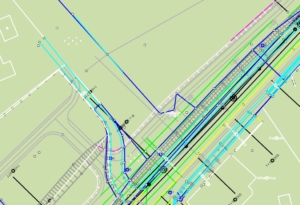 Vermessung
Einfache Plangestaltung mit vielen verschiedenen Konstruktionsmöglichkeiten und vermessungstechnischen Berechnungen
WebCADdy bietet die Möglichkeit, einfach und schnell komplexe CAD-Zeichnungen zu erstellen. Es besteht die Möglichkeit, die gängigsten CAD- und GIS-Formate zu importieren und diese nach der Bearbeitung zu veröffentlichen. Darüber hinaus stehen Ihnen viele weitere in CAD- Systemen gebräuchliche Funktionen zur Verfügung.
-
- Import von DXF-/DWG-Daten
-
- Ebenenverwaltung
- verschiedenste CAD-Konstruktionsmöglichkeiten
[/fusion_tab][fusion_tab title=“Landmanagement“ icon=“fa-map fas“]
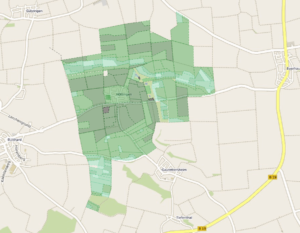 Landmanagement
Leistungsfähige Möglichkeiten zur freien Gestaltung von Landmanagementprojekten
In diesem beispielhaften Projekt und dem nachfolgenden Portal zeigen wir Ihnen die Verwaltung von Flurstücken (aus dem Liegenschaftskataster), von Gebäuden und von Flächen der Bodenschätzung (Bodenrichtwerte). In frei konfigurierbaren Abfragen können Sie nach Eigentümern suchen, Flurstücke finden, die z.B. von einer Leitung betroffen sind, oder sie thematisieren die Bodenschätzung nach bestimmten Farbschemas.
-
- Flurstücksverwaltung nach ALKIS Standard
-
- Ebenen- bzw. Objektverwaltung
- Import von Shape- und Anbindung von kml-Daten
[/fusion_tab][fusion_tab title=“Statistik“ icon=“fa-thumbs-up fas“]
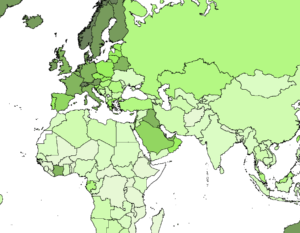 Statistik
Vielfältige statistische Auswertungen und Visualisierungen
Mit der Darstellung von Verwaltungsflächen (PLZ-Bereiche, Gemeinden, Regierungsbezirke, Länder, Kontinente) bietet dieses Projekt/Portal die Möglichkeit, diese Flächen entsprechend den Werten der einzelnen Attribute (Geburten, Gesundheit, Bevölkerung, Kriminalität etc.) zu thematisieren und farblich darzustellen.
-
- thematische Kartendarstellung mit Regeleditor
-
- Objekteigenschaften-Verwaltung (Attributsmanager) in Formular und Liste
- Analyseeditor zur Generierung von Sachanalysen
[/fusion_tab][fusion_tab title=“Risikomoanagement“ icon=“fa-ambulance fas“]
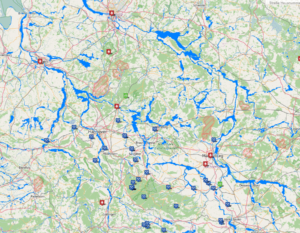 Risikomanagement
Dokumentation und Verwaltung schwerwiegender Unfälle und Katastrophen
Dieses Projekt/Portal bietet eine Sammlung der weltweit größten Unfälle und Katastrophen, die je registriert wurden und ermöglicht sowohl die Visualisierung als auch die sachliche und thematische Auswertung.
-
- Anbindung verschiedener WMS-Dienste
-
- räumliche Objektanalyse über SQL-Filter
- Anbinden von Videos, Fotos und Webcams
[/fusion_tab][fusion_tab title=“Infrastruktur“ icon=“fa-building fas“]
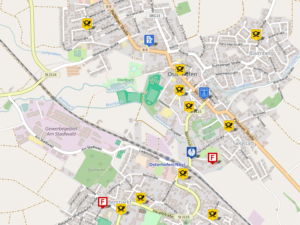 Infrastruktur
Verwaltung und Darstellung der technischen und kommerziellen Infrastruktur eines Versorgungsgebietes (Kommune, Firmengelände, Verwaltungsbezirk u.v.m.)
Dieses Projekt zeigt exemplarisch die Verwaltung von kommerziellen POIs (Unterkünfte, Einkaufsmöglichkeiten, Werbeflächen, Streugut, Leitungen, Parkflächen, Straßenmöblierung etc.)
-
- Orts- und Adresssuche
-
- Erstellen und Verwalten von Objekten (Punkte, Linien und Flächen)
- Funktionsmenü (GPS ein/aus, Messen von Entfernung und Fläche)
[/fusion_tab][fusion_tab title=“Öffentlicher Nahverkehr“ icon=“fa-bus fas“]
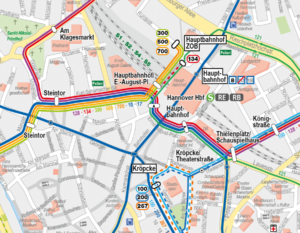 Infrastruktur Verkehr
Verwaltung der Infrastruktur (Bus- und Tramlinien, U-Bahn, Vertriebsstellen, Werbeflächen, Abonnenten, Haltestellen u.v.m.)
Dieses Projekt zeigt die Infrastruktur im öffentlichen Nahverkehr und visualisiert diese entsprechend vorgegebenen Zeichenanweisungen. Durch die umfangreichen Analysemöglichkeiten kann das Projekt nach allen denkbaren Sachattributen analysiert und entsprechend visualisiert werden. Auch thematische Kartendarstellungen sind vorgesehen.
-
- Anbindung verschiedener WMS-Dienste (z.B. Luftbild, Kataster)
-
- räumliche Objektanalyse über SQL Filter und thematische Darstellung über Regeleditor
- Anbinden von Videos, Fotos oder Webcams
[/fusion_tab][fusion_tab title=“Vertriebslogistik“ icon=“fa-shipping-fast fas“]
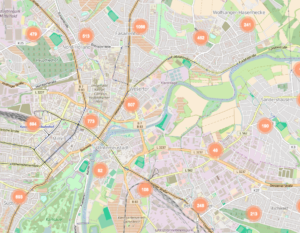 Vertriebslogistik
Verwaltung und Visualisierung von komplexen Vertriebsstrukturen
Dieses Portal visualisiert Kundenstandorte, Vertriebsgebiete und berechnet bei Bedarf Touren und Routen und zeigt bei entsprechender Ausstattung auch mobile Objekte (z.B. Außendienstfahrzeuge)
-
- Kundenverwaltung
-
- Vertriebsgebietsmanagement
- räumliche Objektanalyse
[/fusion_tab][fusion_tab title=“Energie“ icon=“fa-power-off fas“]
Energie
Verwaltung und Visualisierung der Infrastruktur (Leitungen, Gas, Wasser, Strom, Kanal, Kabel etc.) mit den entsprechenden Fachattributen von Leitungsbetreibern und Stadtwerken
Dieses Projekt zeigt die technische Infrastruktur eines kommunalen Leitungsbetreibers und visualisiert diese entsprechend vorgegebenen Zeichenanweisungen. Durch die umfangreichen Analysemöglichkeiten kann das Projekt nach allen denkbaren Sachattributen ausgewertet, analysiert und entsprechend visualisiert werden. Auch thematische Kartendarstellungen sind vorgesehen.
-
- beliebige Sachdatentiefe
-
- Zeichenanweisungen über Layoutmanager
- räumliche Objektanalyse über SQL Filter und thematische Darstellung über Regeleditor
[/fusion_tab][fusion_tab title=“Deponie“ icon=“fa-google-drive fab“]
CADdy Deponie
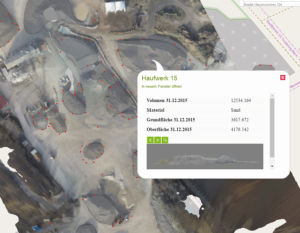 Verwaltung und Visualisierung von Deponien und Haufwerken
Dieses Projekt zeigt die Verwaltung und Dokumentation der Messergebnisse aus Deponie- und Kiesgrubenbefliegungen mit UAVs (unbemannten Flugobjekten)
-
- Massenermittlung und Dokumentation
-
- Anbinden des eigenen Luftbilds mit Luftbildhistorie
- Datenverwaltung mit Zeitplan
[/fusion_tab][fusion_tab title=“Landwirtschaft“ icon=“fa-sticker-mule fab“]
Landwirtschaft
Verwaltung von landwirtschaftlichen Projekten und Anbauflächen. Visualisierung der Katastersituation und Düngemittelverteilung und der Ertragskartierung.
Dieses Portal ermöglicht auf einfachste Weise die Kartierung von landwirtschaftlichen Flächen (Kataster, Pacht, Ertrag, Düngemittel, Anbau) und die Zuteilung einer entsprechenden Attributierung. Es erlaubt die datentechnische Auswertung und entsprechende Darstellung auch mit thematischer Darstellung (Ertrag, Düngemitteleinsatz, Treckerspuren)
-
- Einfache Kartierung landwirtschaftlich interessanter Flächen auch aus GPS Aufmaß
-
- Anzeige der Fahrspuren und Düngespuren
- Objektanalyse über SQL Filter und thematische Darstellung über Regeleditor
[/fusion_tab][fusion_tab title=“Sportplatzmanagement“ icon=“fa-volleyball-ball fas“]
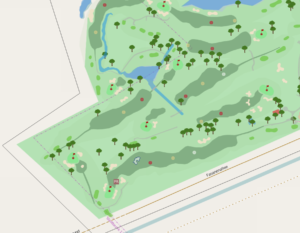 Sportplatzmanagement
Verwaltung und Dokumentation von Sportplätzen im Allgemeinen und Golfanlagen im Besonderen
Dieses Portal ermöglicht auf einfachste Weise die Dokumentation und Pflege von Sportflächen (Greens, Fairways, Entwässerungsleitungen, Abschläge, Brachflächen, Düngemitteleinsatz, Sportplatzmöblierung, Mähspuren etc.) und die Zuteilung einer entsprechenden Attributierung. Es erlaubt die datentechnische Auswertung und entsprechende Darstellung auch mit thematischer Darstellung (Ertrag, Düngemitteleinsatz, Treckerspuren)
-
- Integration beliebiger WMS Dienste (Kataster, Luftbild)
-
- Einfache Kartierung sporttechnisch interessanter Flächen auch aus GPS Aufmaß
- Objektanalyse über SQL Filter und thematische Darstellung über Regeleditor
[/fusion_tab][/fusion_tabs][/fusion_builder_column][/fusion_builder_row][/fusion_builder_container][fusion_builder_container hundred_percent=“no“ hundred_percent_height=“no“ hundred_percent_height_scroll=“no“ hundred_percent_height_center_content=“yes“ equal_height_columns=“no“ menu_anchor=““ hide_on_mobile=“small-visibility,medium-visibility,large-visibility“ class=““ id=““ background_color=““ background_image=““ background_position=“center center“ background_repeat=“no-repeat“ fade=“no“ background_parallax=“none“ enable_mobile=“no“ parallax_speed=“0.3″ video_mp4=““ video_webm=““ video_ogv=““ video_url=““ video_aspect_ratio=“16:9″ video_loop=“yes“ video_mute=“yes“ video_preview_image=““ border_size=““ border_color=““ border_style=“solid“ margin_top=““ margin_bottom=““ padding_top=““ padding_right=““ padding_bottom=““ padding_left=““][fusion_builder_row][fusion_builder_column type=“1_4″ layout=“1_4″ spacing=““ center_content=“no“ link=““ target=“_self“ min_height=““ hide_on_mobile=“small-visibility,medium-visibility,large-visibility“ class=““ id=““ background_color=““ background_image=““ background_position=“left top“ background_repeat=“no-repeat“ hover_type=“none“ border_size=“0″ border_color=““ border_style=“solid“ border_position=“all“ padding_top=““ padding_right=““ padding_bottom=““ padding_left=““ dimension_margin=““ animation_type=““ animation_direction=“left“ animation_speed=“0.3″ animation_offset=““ last=“no“][/fusion_builder_column][fusion_builder_column type=“1_2″ layout=“1_2″ spacing=““ center_content=“no“ link=““ target=“_self“ min_height=““ hide_on_mobile=“small-visibility,medium-visibility,large-visibility“ class=““ id=““ background_color=““ background_image=““ background_position=“left top“ background_repeat=“no-repeat“ hover_type=“none“ border_size=“0″ border_color=““ border_style=“solid“ border_position=“all“ padding_top=““ padding_right=““ padding_bottom=““ padding_left=““ dimension_margin=““ animation_type=““ animation_direction=“left“ animation_speed=“0.3″ animation_offset=““ last=“no“][fusion_text columns=““ column_min_width=““ column_spacing=““ rule_style=“default“ rule_size=““ rule_color=““ class=““ id=““]
Features & Tutorials
Was kann WebCADdy?
[/fusion_text][/fusion_builder_column][fusion_builder_column type=“1_4″ layout=“1_4″ spacing=““ center_content=“no“ link=““ target=“_self“ min_height=““ hide_on_mobile=“small-visibility,medium-visibility,large-visibility“ class=““ id=““ background_color=““ background_image=““ background_position=“left top“ background_repeat=“no-repeat“ hover_type=“none“ border_size=“0″ border_color=““ border_style=“solid“ border_position=“all“ padding_top=““ padding_right=““ padding_bottom=““ padding_left=““ dimension_margin=““ animation_type=““ animation_direction=“left“ animation_speed=“0.3″ animation_offset=““ last=“no“][/fusion_builder_column][/fusion_builder_row][/fusion_builder_container][fusion_builder_container hundred_percent=“no“ hundred_percent_height=“no“ hundred_percent_height_scroll=“no“ hundred_percent_height_center_content=“yes“ equal_height_columns=“no“ menu_anchor=““ hide_on_mobile=“small-visibility,medium-visibility,large-visibility“ class=““ id=““ background_color=““ background_image=““ background_position=“center center“ background_repeat=“no-repeat“ fade=“no“ background_parallax=“none“ enable_mobile=“no“ parallax_speed=“0.3″ video_mp4=““ video_webm=““ video_ogv=““ video_url=““ video_aspect_ratio=“16:9″ video_loop=“yes“ video_mute=“yes“ video_preview_image=““ border_size=““ border_color=““ border_style=“solid“ margin_top=““ margin_bottom=““ padding_top=““ padding_right=““ padding_bottom=““ padding_left=““][fusion_builder_row][fusion_builder_column type=“1_1″ layout=“1_1″ spacing=““ center_content=“no“ link=““ target=“_self“ min_height=““ hide_on_mobile=“small-visibility,medium-visibility,large-visibility“ class=““ id=““ background_color=““ background_image=““ background_position=“left top“ background_repeat=“no-repeat“ hover_type=“none“ border_size=“0″ border_color=““ border_style=“solid“ border_position=“all“ padding_top=““ padding_right=““ padding_bottom=““ padding_left=““ dimension_margin=““ animation_type=““ animation_direction=“left“ animation_speed=“0.3″ animation_offset=““ last=“no“][fusion_separator style_type=“single solid“ hide_on_mobile=“small-visibility,medium-visibility,large-visibility“ class=““ id=““ sep_color=““ top_margin=““ bottom_margin=““ border_size=““ icon=““ icon_circle=““ icon_circle_color=““ width=““ alignment=“center“ /][/fusion_builder_column][/fusion_builder_row][/fusion_builder_container][fusion_builder_container hundred_percent=“no“ hundred_percent_height=“no“ hundred_percent_height_scroll=“no“ hundred_percent_height_center_content=“yes“ equal_height_columns=“no“ menu_anchor=““ hide_on_mobile=“small-visibility,medium-visibility,large-visibility“ class=““ id=““ background_color=““ background_image=““ background_position=“center center“ background_repeat=“no-repeat“ fade=“no“ background_parallax=“none“ enable_mobile=“no“ parallax_speed=“0.3″ video_mp4=““ video_webm=““ video_ogv=““ video_url=““ video_aspect_ratio=“16:9″ video_loop=“yes“ video_mute=“yes“ video_preview_image=““ border_size=““ border_color=““ border_style=“solid“ margin_top=““ margin_bottom=““ padding_top=““ padding_right=““ padding_bottom=““ padding_left=““][fusion_builder_row][fusion_builder_column type=“1_3″ layout=“1_2″ spacing=““ center_content=“no“ link=““ target=“_self“ min_height=““ hide_on_mobile=“small-visibility,medium-visibility,large-visibility“ class=““ id=““ background_color=““ background_image=““ background_position=“left top“ background_repeat=“no-repeat“ hover_type=“none“ border_size=“0″ border_color=““ border_style=“solid“ border_position=“all“ padding_top=““ padding_right=““ padding_bottom=““ padding_left=““ dimension_margin=““ animation_type=““ animation_direction=“left“ animation_speed=“0.3″ animation_offset=““ last=“no“][fusion_text columns=““ column_min_width=““ column_spacing=““ rule_style=“default“ rule_size=““ rule_color=““ class=““ id=““]
Projektmanagement
Der einfache Start mit Ihrem WebCADdy
-
- Start von „www.WebCADdy.org“ in einem Browser
-
- Registrierung oder Login
-
- Sprachauswahl
-
- Projektauswahl oder Projekt neu anlegen
- Ebenenverwaltung
[/fusion_text][/fusion_builder_column][fusion_builder_column type=“1_2″ layout=“1_2″ spacing=““ center_content=“no“ link=““ target=“_self“ min_height=““ hide_on_mobile=“small-visibility,medium-visibility,large-visibility“ class=““ id=““ background_color=““ background_image=““ background_position=“left top“ background_repeat=“no-repeat“ hover_type=“none“ border_size=“0″ border_color=““ border_style=“solid“ border_position=“all“ padding_top=““ padding_right=““ padding_bottom=““ padding_left=““ dimension_margin=““ animation_type=““ animation_direction=“left“ animation_speed=“0.3″ animation_offset=““ last=“no“][fusion_youtube id=“https://www.youtube.com/watch?v=RwPpVXJz3Zw“ alignment=““ width=““ height=““ autoplay=“false“ api_params=““ hide_on_mobile=“small-visibility,medium-visibility,large-visibility“ class=““ /][/fusion_builder_column][fusion_builder_column type=“1_6″ layout=“1_6″ spacing=““ center_content=“no“ link=““ target=“_self“ min_height=““ hide_on_mobile=“small-visibility,medium-visibility,large-visibility“ class=““ id=““ background_color=““ background_image=““ background_position=“left top“ background_repeat=“no-repeat“ hover_type=“none“ border_size=“0″ border_color=““ border_style=“solid“ border_position=“all“ padding_top=““ padding_right=““ padding_bottom=““ padding_left=““ dimension_margin=““ animation_type=““ animation_direction=“left“ animation_speed=“0.3″ animation_offset=““ last=“no“][/fusion_builder_column][/fusion_builder_row][/fusion_builder_container][fusion_builder_container hundred_percent=“no“ hundred_percent_height=“no“ hundred_percent_height_scroll=“no“ hundred_percent_height_center_content=“yes“ equal_height_columns=“no“ menu_anchor=““ hide_on_mobile=“small-visibility,medium-visibility,large-visibility“ class=““ id=““ background_color=““ background_image=““ background_position=“center center“ background_repeat=“no-repeat“ fade=“no“ background_parallax=“none“ enable_mobile=“no“ parallax_speed=“0.3″ video_mp4=““ video_webm=““ video_ogv=““ video_url=““ video_aspect_ratio=“16:9″ video_loop=“yes“ video_mute=“yes“ video_preview_image=““ border_size=““ border_color=““ border_style=“solid“ margin_top=““ margin_bottom=““ padding_top=““ padding_right=““ padding_bottom=““ padding_left=““][fusion_builder_row][fusion_builder_column type=“1_1″ layout=“1_1″ spacing=““ center_content=“no“ link=““ target=“_self“ min_height=““ hide_on_mobile=“small-visibility,medium-visibility,large-visibility“ class=““ id=““ background_color=““ background_image=““ background_position=“left top“ background_repeat=“no-repeat“ hover_type=“none“ border_size=“0″ border_color=““ border_style=“solid“ border_position=“all“ animation_type=““ animation_direction=“left“ animation_speed=“0.3″ animation_offset=““ last=“no“][fusion_separator style_type=“single solid“ hide_on_mobile=“small-visibility,medium-visibility,large-visibility“ class=““ id=““ sep_color=““ top_margin=““ bottom_margin=““ border_size=““ icon=““ icon_circle=““ icon_circle_color=““ width=““ alignment=“center“ /][/fusion_builder_column][/fusion_builder_row][/fusion_builder_container][fusion_builder_container hundred_percent=“no“ hundred_percent_height=“no“ hundred_percent_height_scroll=“no“ hundred_percent_height_center_content=“yes“ equal_height_columns=“no“ menu_anchor=““ hide_on_mobile=“small-visibility,medium-visibility,large-visibility“ class=““ id=““ background_color=““ background_image=““ background_position=“center center“ background_repeat=“no-repeat“ fade=“no“ background_parallax=“none“ enable_mobile=“no“ parallax_speed=“0.3″ video_mp4=““ video_webm=““ video_ogv=““ video_url=““ video_aspect_ratio=“16:9″ video_loop=“yes“ video_mute=“yes“ video_preview_image=““ border_size=““ border_color=““ border_style=“solid“ margin_top=““ margin_bottom=““ padding_top=““ padding_right=““ padding_bottom=““ padding_left=““][fusion_builder_row][fusion_builder_column type=“1_6″ layout=“1_6″ spacing=““ center_content=“no“ link=““ target=“_self“ min_height=““ hide_on_mobile=“small-visibility,medium-visibility,large-visibility“ class=““ id=““ background_color=““ background_image=““ background_position=“left top“ background_repeat=“no-repeat“ hover_type=“none“ border_size=“0″ border_color=““ border_style=“solid“ border_position=“all“ padding_top=““ padding_right=““ padding_bottom=““ padding_left=““ dimension_margin=““ animation_type=““ animation_direction=“left“ animation_speed=“0.3″ animation_offset=““ last=“no“][/fusion_builder_column][fusion_builder_column type=“1_2″ layout=“1_2″ spacing=““ center_content=“no“ link=““ target=“_self“ min_height=““ hide_on_mobile=“small-visibility,medium-visibility,large-visibility“ class=““ id=““ background_color=““ background_image=““ background_position=“left top“ background_repeat=“no-repeat“ hover_type=“none“ border_size=“0″ border_color=““ border_style=“solid“ border_position=“all“ padding_top=““ padding_right=““ padding_bottom=““ padding_left=““ dimension_margin=““ animation_type=““ animation_direction=“left“ animation_speed=“0.3″ animation_offset=““ last=“no“][fusion_youtube id=“https://www.youtube.com/watch?v=88KZOckkY40″ alignment=““ width=““ height=““ autoplay=“false“ api_params=““ hide_on_mobile=“small-visibility,medium-visibility,large-visibility“ class=““ /][/fusion_builder_column][fusion_builder_column type=“1_3″ layout=“1_3″ spacing=““ center_content=“no“ link=““ target=“_self“ min_height=““ hide_on_mobile=“small-visibility,medium-visibility,large-visibility“ class=““ id=““ background_color=““ background_image=““ background_position=“left top“ background_repeat=“no-repeat“ hover_type=“none“ border_size=“0″ border_color=““ border_style=“solid“ border_position=“all“ padding_top=““ padding_right=““ padding_bottom=““ padding_left=““ dimension_margin=““ animation_type=““ animation_direction=“left“ animation_speed=“0.3″ animation_offset=““ last=“no“][fusion_text columns=““ column_min_width=““ column_spacing=““ rule_style=“default“ rule_size=““ rule_color=““ class=““ id=““]
Import
Die ersten Daten in Ihrem WebCADdy
-
- Auswahl der Hintergrundkarte
-
- Projektauswahl
-
- Auswahl Import-Typ und -Datei
-
- Koordinatensystem und Projektion
-
- Import starten
- Ebenenauswahl und Überprüfung der Daten
[/fusion_text][/fusion_builder_column][/fusion_builder_row][/fusion_builder_container][fusion_builder_container hundred_percent=“no“ hundred_percent_height=“no“ hundred_percent_height_scroll=“no“ hundred_percent_height_center_content=“yes“ equal_height_columns=“no“ menu_anchor=““ hide_on_mobile=“small-visibility,medium-visibility,large-visibility“ class=““ id=““ background_color=““ background_image=““ background_position=“center center“ background_repeat=“no-repeat“ fade=“no“ background_parallax=“none“ enable_mobile=“no“ parallax_speed=“0.3″ video_mp4=““ video_webm=““ video_ogv=““ video_url=““ video_aspect_ratio=“16:9″ video_loop=“yes“ video_mute=“yes“ video_preview_image=““ border_size=““ border_color=““ border_style=“solid“ margin_top=““ margin_bottom=““ padding_top=““ padding_right=““ padding_bottom=““ padding_left=““][fusion_builder_row][fusion_builder_column type=“1_1″ layout=“1_1″ spacing=““ center_content=“no“ link=““ target=“_self“ min_height=““ hide_on_mobile=“small-visibility,medium-visibility,large-visibility“ class=““ id=““ background_color=““ background_image=““ background_position=“left top“ background_repeat=“no-repeat“ hover_type=“none“ border_size=“0″ border_color=““ border_style=“solid“ border_position=“all“ animation_type=““ animation_direction=“left“ animation_speed=“0.3″ animation_offset=““ last=“no“][fusion_separator style_type=“single solid“ hide_on_mobile=“small-visibility,medium-visibility,large-visibility“ class=““ id=““ sep_color=““ top_margin=““ bottom_margin=““ border_size=““ icon=““ icon_circle=““ icon_circle_color=““ width=““ alignment=“center“ /][/fusion_builder_column][/fusion_builder_row][/fusion_builder_container][fusion_builder_container hundred_percent=“no“ hundred_percent_height=“no“ hundred_percent_height_scroll=“no“ hundred_percent_height_center_content=“yes“ equal_height_columns=“no“ menu_anchor=““ hide_on_mobile=“small-visibility,medium-visibility,large-visibility“ class=““ id=““ background_color=““ background_image=““ background_position=“center center“ background_repeat=“no-repeat“ fade=“no“ background_parallax=“none“ enable_mobile=“no“ parallax_speed=“0.3″ video_mp4=““ video_webm=““ video_ogv=““ video_url=““ video_aspect_ratio=“16:9″ video_loop=“yes“ video_mute=“yes“ video_preview_image=““ border_size=““ border_color=““ border_style=“solid“ margin_top=““ margin_bottom=““ padding_top=““ padding_right=““ padding_bottom=““ padding_left=““][fusion_builder_row][fusion_builder_column type=“1_3″ layout=“1_3″ spacing=““ center_content=“no“ link=““ target=“_self“ min_height=““ hide_on_mobile=“small-visibility,medium-visibility,large-visibility“ class=““ id=““ background_color=““ background_image=““ background_position=“left top“ background_repeat=“no-repeat“ hover_type=“none“ border_size=“0″ border_color=““ border_style=“solid“ border_position=“all“ padding_top=““ padding_right=““ padding_bottom=““ padding_left=““ dimension_margin=““ animation_type=““ animation_direction=“left“ animation_speed=“0.3″ animation_offset=““ last=“no“][fusion_text columns=““ column_min_width=““ column_spacing=““ rule_style=“default“ rule_size=““ rule_color=““ class=““ id=““]
Erstellen & Bearbeiten
Individualisieren Sie Daten in Ihrem WebCADdy
-
- Erstellen von Grafikelementen
-
- Wähle den richtigen Hintergrund
-
- Auswahl Import-Typ und -Datei
-
- Auswahl der verschiedenen Konstruktionshilfen
-
- Wähle den Geometrietyp (Linie, Fläche, Punkt…)
- Auswahl des Objekttyps, Namens und dessen Attributen
[/fusion_text][/fusion_builder_column][fusion_builder_column type=“1_2″ layout=“1_2″ spacing=““ center_content=“no“ link=““ target=“_self“ min_height=““ hide_on_mobile=“small-visibility,medium-visibility,large-visibility“ class=““ id=““ background_color=““ background_image=““ background_position=“left top“ background_repeat=“no-repeat“ hover_type=“none“ border_size=“0″ border_color=““ border_style=“solid“ border_position=“all“ padding_top=““ padding_right=““ padding_bottom=““ padding_left=““ dimension_margin=““ animation_type=““ animation_direction=“left“ animation_speed=“0.3″ animation_offset=““ last=“no“][fusion_youtube id=“https://www.youtube.com/watch?v=5xIPiCGHBPk“ alignment=““ width=““ height=““ autoplay=“false“ api_params=““ hide_on_mobile=“small-visibility,medium-visibility,large-visibility“ class=““ /][/fusion_builder_column][fusion_builder_column type=“1_6″ layout=“1_6″ spacing=““ center_content=“no“ link=““ target=“_self“ min_height=““ hide_on_mobile=“small-visibility,medium-visibility,large-visibility“ class=““ id=““ background_color=““ background_image=““ background_position=“left top“ background_repeat=“no-repeat“ hover_type=“none“ border_size=“0″ border_color=““ border_style=“solid“ border_position=“all“ padding_top=““ padding_right=““ padding_bottom=““ padding_left=““ dimension_margin=““ animation_type=““ animation_direction=“left“ animation_speed=“0.3″ animation_offset=““ last=“no“][/fusion_builder_column][/fusion_builder_row][/fusion_builder_container][fusion_builder_container hundred_percent=“no“ hundred_percent_height=“no“ hundred_percent_height_scroll=“no“ hundred_percent_height_center_content=“yes“ equal_height_columns=“no“ menu_anchor=““ hide_on_mobile=“small-visibility,medium-visibility,large-visibility“ class=““ id=““ background_color=““ background_image=““ background_position=“center center“ background_repeat=“no-repeat“ fade=“no“ background_parallax=“none“ enable_mobile=“no“ parallax_speed=“0.3″ video_mp4=““ video_webm=““ video_ogv=““ video_url=““ video_aspect_ratio=“16:9″ video_loop=“yes“ video_mute=“yes“ video_preview_image=““ border_size=““ border_color=““ border_style=“solid“ margin_top=““ margin_bottom=““ padding_top=““ padding_right=““ padding_bottom=““ padding_left=““][fusion_builder_row][fusion_builder_column type=“1_1″ layout=“1_1″ spacing=““ center_content=“no“ link=““ target=“_self“ min_height=““ hide_on_mobile=“small-visibility,medium-visibility,large-visibility“ class=““ id=““ background_color=““ background_image=““ background_position=“left top“ background_repeat=“no-repeat“ hover_type=“none“ border_size=“0″ border_color=““ border_style=“solid“ border_position=“all“ animation_type=““ animation_direction=“left“ animation_speed=“0.3″ animation_offset=““ last=“no“][fusion_separator style_type=“single solid“ hide_on_mobile=“small-visibility,medium-visibility,large-visibility“ class=““ id=““ sep_color=““ top_margin=““ bottom_margin=““ border_size=““ icon=““ icon_circle=““ icon_circle_color=““ width=““ alignment=“center“ /][/fusion_builder_column][/fusion_builder_row][/fusion_builder_container][fusion_builder_container hundred_percent=“no“ hundred_percent_height=“no“ hundred_percent_height_scroll=“no“ hundred_percent_height_center_content=“yes“ equal_height_columns=“no“ menu_anchor=““ hide_on_mobile=“small-visibility,medium-visibility,large-visibility“ class=““ id=““ background_color=““ background_image=““ background_position=“center center“ background_repeat=“no-repeat“ fade=“no“ background_parallax=“none“ enable_mobile=“no“ parallax_speed=“0.3″ video_mp4=““ video_webm=““ video_ogv=““ video_url=““ video_aspect_ratio=“16:9″ video_loop=“yes“ video_mute=“yes“ video_preview_image=““ border_size=““ border_color=““ border_style=“solid“ margin_top=““ margin_bottom=““ padding_top=““ padding_right=““ padding_bottom=““ padding_left=““][fusion_builder_row][fusion_builder_column type=“1_6″ layout=“1_6″ spacing=““ center_content=“no“ link=““ target=“_self“ min_height=““ hide_on_mobile=“small-visibility,medium-visibility,large-visibility“ class=““ id=““ background_color=““ background_image=““ background_position=“left top“ background_repeat=“no-repeat“ hover_type=“none“ border_size=“0″ border_color=““ border_style=“solid“ border_position=“all“ padding_top=““ padding_right=““ padding_bottom=““ padding_left=““ dimension_margin=““ animation_type=““ animation_direction=“left“ animation_speed=“0.3″ animation_offset=““ last=“no“][/fusion_builder_column][fusion_builder_column type=“1_2″ layout=“1_2″ spacing=““ center_content=“no“ link=““ target=“_self“ min_height=““ hide_on_mobile=“small-visibility,medium-visibility,large-visibility“ class=““ id=““ background_color=““ background_image=““ background_position=“left top“ background_repeat=“no-repeat“ hover_type=“none“ border_size=“0″ border_color=““ border_style=“solid“ border_position=“all“ padding_top=““ padding_right=““ padding_bottom=““ padding_left=““ dimension_margin=““ animation_type=““ animation_direction=“left“ animation_speed=“0.3″ animation_offset=““ last=“no“][fusion_youtube id=“https://www.youtube.com/watch?v=gZ605qm1Yjk“ alignment=““ width=““ height=““ autoplay=“false“ api_params=““ hide_on_mobile=“small-visibility,medium-visibility,large-visibility“ class=““ /][/fusion_builder_column][fusion_builder_column type=“1_3″ layout=“1_3″ spacing=““ center_content=“no“ link=““ target=“_self“ min_height=““ hide_on_mobile=“small-visibility,medium-visibility,large-visibility“ class=““ id=““ background_color=““ background_image=““ background_position=“left top“ background_repeat=“no-repeat“ hover_type=“none“ border_size=“0″ border_color=““ border_style=“solid“ border_position=“all“ padding_top=““ padding_right=““ padding_bottom=““ padding_left=““ dimension_margin=““ animation_type=““ animation_direction=“left“ animation_speed=“0.3″ animation_offset=““ last=“no“][fusion_text columns=““ column_min_width=““ column_spacing=““ rule_style=“default“ rule_size=““ rule_color=““ class=““ id=““]
Ebenen & Objekte
Erstellen eine individualisierten Datenstruktur in Ihrem WebCADdy
-
- Manipulieren und Erstellen von Objekttypen (Ebenen)
-
- Auswahl eines Objekttyps (Ebene) im Menu oder in der Karte
-
- Auswahl Import-Typ und -Datei
-
- Hinzufügen oder Manipulieren von Objekteigenschaften (Attribute)
-
- Wählen von Attributtypen
- Speichern der Einstellungen
[/fusion_text][/fusion_builder_column][/fusion_builder_row][/fusion_builder_container][fusion_builder_container hundred_percent=“no“ hundred_percent_height=“no“ hundred_percent_height_scroll=“no“ hundred_percent_height_center_content=“yes“ equal_height_columns=“no“ menu_anchor=““ hide_on_mobile=“small-visibility,medium-visibility,large-visibility“ class=““ id=““ background_color=““ background_image=““ background_position=“center center“ background_repeat=“no-repeat“ fade=“no“ background_parallax=“none“ enable_mobile=“no“ parallax_speed=“0.3″ video_mp4=““ video_webm=““ video_ogv=““ video_url=““ video_aspect_ratio=“16:9″ video_loop=“yes“ video_mute=“yes“ video_preview_image=““ border_size=““ border_color=““ border_style=“solid“ margin_top=““ margin_bottom=““ padding_top=““ padding_right=““ padding_bottom=““ padding_left=““][fusion_builder_row][fusion_builder_column type=“1_1″ layout=“1_1″ spacing=““ center_content=“no“ link=““ target=“_self“ min_height=““ hide_on_mobile=“small-visibility,medium-visibility,large-visibility“ class=““ id=““ background_color=““ background_image=““ background_position=“left top“ background_repeat=“no-repeat“ hover_type=“none“ border_size=“0″ border_color=““ border_style=“solid“ border_position=“all“ animation_type=““ animation_direction=“left“ animation_speed=“0.3″ animation_offset=““ last=“no“][fusion_separator style_type=“single solid“ hide_on_mobile=“small-visibility,medium-visibility,large-visibility“ class=““ id=““ sep_color=““ top_margin=““ bottom_margin=““ border_size=““ icon=““ icon_circle=““ icon_circle_color=““ width=““ alignment=“center“ /][/fusion_builder_column][/fusion_builder_row][/fusion_builder_container][fusion_builder_container hundred_percent=“no“ hundred_percent_height=“no“ hundred_percent_height_scroll=“no“ hundred_percent_height_center_content=“yes“ equal_height_columns=“no“ menu_anchor=““ hide_on_mobile=“small-visibility,medium-visibility,large-visibility“ class=““ id=““ background_color=““ background_image=““ background_position=“center center“ background_repeat=“no-repeat“ fade=“no“ background_parallax=“none“ enable_mobile=“no“ parallax_speed=“0.3″ video_mp4=““ video_webm=““ video_ogv=““ video_url=““ video_aspect_ratio=“16:9″ video_loop=“yes“ video_mute=“yes“ video_preview_image=““ border_size=““ border_color=““ border_style=“solid“ margin_top=““ margin_bottom=““ padding_top=““ padding_right=““ padding_bottom=““ padding_left=““][fusion_builder_row][fusion_builder_column type=“1_3″ layout=“1_3″ spacing=““ center_content=“no“ link=““ target=“_self“ min_height=““ hide_on_mobile=“small-visibility,medium-visibility,large-visibility“ class=““ id=““ background_color=““ background_image=““ background_position=“left top“ background_repeat=“no-repeat“ hover_type=“none“ border_size=“0″ border_color=““ border_style=“solid“ border_position=“all“ padding_top=““ padding_right=““ padding_bottom=““ padding_left=““ dimension_margin=““ animation_type=““ animation_direction=“left“ animation_speed=“0.3″ animation_offset=““ last=“no“][fusion_text columns=““ column_min_width=““ column_spacing=““ rule_style=“default“ rule_size=““ rule_color=““ class=““ id=““]
Analyse & Darstellung
Erstellen und Anzeigen von Abfragen in Ihrem WebCADdy
-
- Auswahl des Objekttyps
-
- Öffnen des SQL-Abfrageeditors
-
- Erstellen einer neuen Abfrage oder Bearbeiten einer Vorhandenen
-
- Erstellen des ersten Filters
-
- Hinzufügen weiterer Filter
-
- Erzeugen einer räumlichen Objektanalyse
- Erzeugen einer thematischen Karte mit Hilfe des Regeleditors
[/fusion_text][/fusion_builder_column][fusion_builder_column type=“1_2″ layout=“1_2″ spacing=““ center_content=“no“ link=““ target=“_self“ min_height=““ hide_on_mobile=“small-visibility,medium-visibility,large-visibility“ class=““ id=““ background_color=““ background_image=““ background_position=“left top“ background_repeat=“no-repeat“ hover_type=“none“ border_size=“0″ border_color=““ border_style=“solid“ border_position=“all“ padding_top=““ padding_right=““ padding_bottom=““ padding_left=““ dimension_margin=““ animation_type=““ animation_direction=“left“ animation_speed=“0.3″ animation_offset=““ last=“no“][fusion_youtube id=“https://www.youtube.com/watch?v=NwegDRoRQm8″ alignment=““ width=““ height=““ autoplay=“false“ api_params=““ hide_on_mobile=“small-visibility,medium-visibility,large-visibility“ class=““ /][/fusion_builder_column][fusion_builder_column type=“1_6″ layout=“1_6″ spacing=““ center_content=“no“ link=““ target=“_self“ min_height=““ hide_on_mobile=“small-visibility,medium-visibility,large-visibility“ class=““ id=““ background_color=““ background_image=““ background_position=“left top“ background_repeat=“no-repeat“ hover_type=“none“ border_size=“0″ border_color=““ border_style=“solid“ border_position=“all“ padding_top=““ padding_right=““ padding_bottom=““ padding_left=““ dimension_margin=““ animation_type=““ animation_direction=“left“ animation_speed=“0.3″ animation_offset=““ last=“no“][/fusion_builder_column][/fusion_builder_row][/fusion_builder_container][fusion_builder_container hundred_percent=“no“ hundred_percent_height=“no“ hundred_percent_height_scroll=“no“ hundred_percent_height_center_content=“yes“ equal_height_columns=“no“ menu_anchor=““ hide_on_mobile=“small-visibility,medium-visibility,large-visibility“ class=““ id=““ background_color=““ background_image=““ background_position=“center center“ background_repeat=“no-repeat“ fade=“no“ background_parallax=“none“ enable_mobile=“no“ parallax_speed=“0.3″ video_mp4=““ video_webm=““ video_ogv=““ video_url=““ video_aspect_ratio=“16:9″ video_loop=“yes“ video_mute=“yes“ video_preview_image=““ border_size=““ border_color=““ border_style=“solid“ margin_top=““ margin_bottom=““ padding_top=““ padding_right=““ padding_bottom=““ padding_left=““][fusion_builder_row][fusion_builder_column type=“1_1″ layout=“1_1″ spacing=““ center_content=“no“ link=““ target=“_self“ min_height=““ hide_on_mobile=“small-visibility,medium-visibility,large-visibility“ class=““ id=““ background_color=““ background_image=““ background_position=“left top“ background_repeat=“no-repeat“ hover_type=“none“ border_size=“0″ border_color=““ border_style=“solid“ border_position=“all“ animation_type=““ animation_direction=“left“ animation_speed=“0.3″ animation_offset=““ last=“no“][fusion_separator style_type=“single solid“ hide_on_mobile=“small-visibility,medium-visibility,large-visibility“ class=““ id=““ sep_color=““ top_margin=““ bottom_margin=““ border_size=““ icon=““ icon_circle=““ icon_circle_color=““ width=““ alignment=“center“ /][/fusion_builder_column][/fusion_builder_row][/fusion_builder_container][fusion_builder_container hundred_percent=“no“ hundred_percent_height=“no“ hundred_percent_height_scroll=“no“ hundred_percent_height_center_content=“yes“ equal_height_columns=“no“ menu_anchor=““ hide_on_mobile=“small-visibility,medium-visibility,large-visibility“ class=““ id=““ background_color=““ background_image=““ background_position=“center center“ background_repeat=“no-repeat“ fade=“no“ background_parallax=“none“ enable_mobile=“no“ parallax_speed=“0.3″ video_mp4=““ video_webm=““ video_ogv=““ video_url=““ video_aspect_ratio=“16:9″ video_loop=“yes“ video_mute=“yes“ video_preview_image=““ border_size=““ border_color=““ border_style=“solid“ margin_top=““ margin_bottom=““ padding_top=““ padding_right=““ padding_bottom=““ padding_left=““][fusion_builder_row][fusion_builder_column type=“1_2″ layout=“1_2″ spacing=““ center_content=“no“ link=““ target=“_self“ min_height=““ hide_on_mobile=“small-visibility,medium-visibility,large-visibility“ class=““ id=““ background_color=““ background_image=““ background_position=“left top“ background_repeat=“no-repeat“ hover_type=“none“ border_size=“0″ border_color=““ border_style=“solid“ border_position=“all“ padding_top=““ padding_right=““ padding_bottom=““ padding_left=““ dimension_margin=““ animation_type=““ animation_direction=“left“ animation_speed=“0.3″ animation_offset=““ last=“no“][fusion_youtube id=“https://www.youtube.com/watch?v=NwegDRoRQm8″ alignment=““ width=““ height=““ autoplay=“false“ api_params=““ hide_on_mobile=“small-visibility,medium-visibility,large-visibility“ class=““ /][/fusion_builder_column][fusion_builder_column type=“1_3″ layout=“1_3″ spacing=““ center_content=“no“ link=““ target=“_self“ min_height=““ hide_on_mobile=“small-visibility,medium-visibility,large-visibility“ class=““ id=““ background_color=““ background_image=““ background_position=“left top“ background_repeat=“no-repeat“ hover_type=“none“ border_size=“0″ border_color=““ border_style=“solid“ border_position=“all“ padding_top=““ padding_right=““ padding_bottom=““ padding_left=““ dimension_margin=““ animation_type=““ animation_direction=“left“ animation_speed=“0.3″ animation_offset=““ last=“no“][fusion_text columns=““ column_min_width=““ column_spacing=““ rule_style=“default“ rule_size=““ rule_color=““ class=““ id=““]
Messen & Berechnen
Erstellen von eigenen Messungen und Berechnungen in Ihrem WebCADdy
-
- Benutzen der Mess-Funktion
-
- Messen mit Unterstützung der Konstruktionshilfen
-
- Messen mit beliebig vielen Zwischenpunkten
-
- Mit einem Doppelklick wird das Messen beendet
-
- Aufruf der GPS-Messfunktion
- Speichern der GPS-Koordinate
[/fusion_text][/fusion_builder_column][fusion_builder_column type=“1_6″ layout=“1_6″ spacing=““ center_content=“no“ link=““ target=“_self“ min_height=““ hide_on_mobile=“small-visibility,medium-visibility,large-visibility“ class=““ id=““ background_color=““ background_image=““ background_position=“left top“ background_repeat=“no-repeat“ hover_type=“none“ border_size=“0″ border_color=““ border_style=“solid“ border_position=“all“ padding_top=““ padding_right=““ padding_bottom=““ padding_left=““ dimension_margin=““ animation_type=““ animation_direction=“left“ animation_speed=“0.3″ animation_offset=““ last=“no“][/fusion_builder_column][/fusion_builder_row][/fusion_builder_container][fusion_builder_container hundred_percent=“no“ hundred_percent_height=“no“ hundred_percent_height_scroll=“no“ hundred_percent_height_center_content=“yes“ equal_height_columns=“no“ menu_anchor=““ hide_on_mobile=“small-visibility,medium-visibility,large-visibility“ class=““ id=““ background_color=““ background_image=““ background_position=“center center“ background_repeat=“no-repeat“ fade=“no“ background_parallax=“none“ enable_mobile=“no“ parallax_speed=“0.3″ video_mp4=““ video_webm=““ video_ogv=““ video_url=““ video_aspect_ratio=“16:9″ video_loop=“yes“ video_mute=“yes“ video_preview_image=““ border_size=““ border_color=““ border_style=“solid“ margin_top=““ margin_bottom=““ padding_top=““ padding_right=““ padding_bottom=““ padding_left=““][fusion_builder_row][fusion_builder_column type=“1_1″ layout=“1_1″ spacing=““ center_content=“no“ link=““ target=“_self“ min_height=““ hide_on_mobile=“small-visibility,medium-visibility,large-visibility“ class=““ id=““ background_color=““ background_image=““ background_position=“left top“ background_repeat=“no-repeat“ hover_type=“none“ border_size=“0″ border_color=““ border_style=“solid“ border_position=“all“ animation_type=““ animation_direction=“left“ animation_speed=“0.3″ animation_offset=““ last=“no“][fusion_separator style_type=“single solid“ hide_on_mobile=“small-visibility,medium-visibility,large-visibility“ class=““ id=““ sep_color=““ top_margin=““ bottom_margin=““ border_size=““ icon=““ icon_circle=““ icon_circle_color=““ width=““ alignment=“center“ /][/fusion_builder_column][/fusion_builder_row][/fusion_builder_container][fusion_builder_container hundred_percent=“no“ hundred_percent_height=“no“ hundred_percent_height_scroll=“no“ hundred_percent_height_center_content=“yes“ equal_height_columns=“no“ menu_anchor=““ hide_on_mobile=“small-visibility,medium-visibility,large-visibility“ class=““ id=““ background_color=““ background_image=““ background_position=“center center“ background_repeat=“no-repeat“ fade=“no“ background_parallax=“none“ enable_mobile=“no“ parallax_speed=“0.3″ video_mp4=““ video_webm=““ video_ogv=““ video_url=““ video_aspect_ratio=“16:9″ video_loop=“yes“ video_mute=“yes“ video_preview_image=““ border_size=““ border_color=““ border_style=“solid“ margin_top=““ margin_bottom=““ padding_top=““ padding_right=““ padding_bottom=““ padding_left=““][fusion_builder_row][fusion_builder_column type=“1_6″ layout=“1_6″ spacing=““ center_content=“no“ link=““ target=“_self“ min_height=““ hide_on_mobile=“small-visibility,medium-visibility,large-visibility“ class=““ id=““ background_color=““ background_image=““ background_position=“left top“ background_repeat=“no-repeat“ hover_type=“none“ border_size=“0″ border_color=““ border_style=“solid“ border_position=“all“ padding_top=““ padding_right=““ padding_bottom=““ padding_left=““ dimension_margin=““ animation_type=““ animation_direction=“left“ animation_speed=“0.3″ animation_offset=““ last=“no“][/fusion_builder_column][fusion_builder_column type=“1_3″ layout=“1_3″ spacing=““ center_content=“no“ link=““ target=“_self“ min_height=““ hide_on_mobile=“small-visibility,medium-visibility,large-visibility“ class=““ id=““ background_color=““ background_image=““ background_position=“left top“ background_repeat=“no-repeat“ hover_type=“none“ border_size=“0″ border_color=““ border_style=“solid“ border_position=“all“ padding_top=““ padding_right=““ padding_bottom=““ padding_left=““ dimension_margin=““ animation_type=““ animation_direction=“left“ animation_speed=“0.3″ animation_offset=““ last=“no“][fusion_text columns=““ column_min_width=““ column_spacing=““ rule_style=“default“ rule_size=““ rule_color=““ class=““ id=““]
Layout
Erstellen Sie Ihr Layout in WebCADdy
-
- Auswahl des Objekttyps
-
- Öffnen des Layouteditors
-
- Bearbeiten der Layouteinstellungen
-
- Zoomstufe und Namen vergeben
-
- Wähle der Geometrietypen (Linie, Fläche, Punkt oder Text)
- Setzen der Einstellungen (Farbe, Deckkraft, Linienart etc.)
[/fusion_text][/fusion_builder_column][fusion_builder_column type=“1_2″ layout=“1_2″ spacing=““ center_content=“no“ link=““ target=“_self“ min_height=““ hide_on_mobile=“small-visibility,medium-visibility,large-visibility“ class=““ id=““ background_color=““ background_image=““ background_position=“left top“ background_repeat=“no-repeat“ hover_type=“none“ border_size=“0″ border_color=““ border_style=“solid“ border_position=“all“ padding_top=““ padding_right=““ padding_bottom=““ padding_left=““ dimension_margin=““ animation_type=““ animation_direction=“left“ animation_speed=“0.3″ animation_offset=““ last=“no“][fusion_youtube id=“https://www.youtube.com/watch?v=qhdZ6Qr8yaI“ alignment=““ width=““ height=““ autoplay=“false“ api_params=““ hide_on_mobile=“small-visibility,medium-visibility,large-visibility“ class=““ /][/fusion_builder_column][/fusion_builder_row][/fusion_builder_container][fusion_builder_container hundred_percent=“no“ hundred_percent_height=“no“ hundred_percent_height_scroll=“no“ hundred_percent_height_center_content=“yes“ equal_height_columns=“no“ menu_anchor=““ hide_on_mobile=“small-visibility,medium-visibility,large-visibility“ class=““ id=““ background_color=““ background_image=““ background_position=“center center“ background_repeat=“no-repeat“ fade=“no“ background_parallax=“none“ enable_mobile=“no“ parallax_speed=“0.3″ video_mp4=““ video_webm=““ video_ogv=““ video_url=““ video_aspect_ratio=“16:9″ video_loop=“yes“ video_mute=“yes“ video_preview_image=““ border_size=““ border_color=““ border_style=“solid“ margin_top=““ margin_bottom=““ padding_top=““ padding_right=““ padding_bottom=““ padding_left=““][fusion_builder_row][fusion_builder_column type=“1_1″ layout=“1_1″ spacing=““ center_content=“no“ link=““ target=“_self“ min_height=““ hide_on_mobile=“small-visibility,medium-visibility,large-visibility“ class=““ id=““ background_color=““ background_image=““ background_position=“left top“ background_repeat=“no-repeat“ hover_type=“none“ border_size=“0″ border_color=““ border_style=“solid“ border_position=“all“ animation_type=““ animation_direction=“left“ animation_speed=“0.3″ animation_offset=““ last=“no“][fusion_separator style_type=“single solid“ hide_on_mobile=“small-visibility,medium-visibility,large-visibility“ class=““ id=““ sep_color=““ top_margin=““ bottom_margin=““ border_size=““ icon=““ icon_circle=““ icon_circle_color=““ width=““ alignment=“center“ /][/fusion_builder_column][/fusion_builder_row][/fusion_builder_container][fusion_builder_container hundred_percent=“no“ hundred_percent_height=“no“ hundred_percent_height_scroll=“no“ hundred_percent_height_center_content=“yes“ equal_height_columns=“no“ menu_anchor=““ hide_on_mobile=“small-visibility,medium-visibility,large-visibility“ class=““ id=““ background_color=““ background_image=““ background_position=“center center“ background_repeat=“no-repeat“ fade=“no“ background_parallax=“none“ enable_mobile=“no“ parallax_speed=“0.3″ video_mp4=““ video_webm=““ video_ogv=““ video_url=““ video_aspect_ratio=“16:9″ video_loop=“yes“ video_mute=“yes“ video_preview_image=““ border_size=““ border_color=““ border_style=“solid“ margin_top=““ margin_bottom=““ padding_top=““ padding_right=““ padding_bottom=““ padding_left=““][fusion_builder_row][fusion_builder_column type=“1_2″ layout=“1_2″ spacing=““ center_content=“no“ link=““ target=“_self“ min_height=““ hide_on_mobile=“small-visibility,medium-visibility,large-visibility“ class=““ id=““ background_color=““ background_image=““ background_position=“left top“ background_repeat=“no-repeat“ hover_type=“none“ border_size=“0″ border_color=““ border_style=“solid“ border_position=“all“ padding_top=““ padding_right=““ padding_bottom=““ padding_left=““ dimension_margin=““ animation_type=““ animation_direction=“left“ animation_speed=“0.3″ animation_offset=““ last=“no“][fusion_youtube id=“https://www.youtube.com/watch?v=DOYXShca2oo“ alignment=““ width=““ height=““ autoplay=“false“ api_params=““ hide_on_mobile=“small-visibility,medium-visibility,large-visibility“ class=““ /][/fusion_builder_column][fusion_builder_column type=“1_3″ layout=“1_3″ spacing=““ center_content=“no“ link=““ target=“_self“ min_height=““ hide_on_mobile=“small-visibility,medium-visibility,large-visibility“ class=““ id=““ background_color=““ background_image=““ background_position=“left top“ background_repeat=“no-repeat“ hover_type=“none“ border_size=“0″ border_color=““ border_style=“solid“ border_position=“all“ padding_top=““ padding_right=““ padding_bottom=““ padding_left=““ dimension_margin=““ animation_type=““ animation_direction=“left“ animation_speed=“0.3″ animation_offset=““ last=“no“][fusion_text columns=““ column_min_width=““ column_spacing=““ rule_style=“default“ rule_size=““ rule_color=““ class=““ id=““]
Export
Veröffentlichen Sie Ihre Daten in einem WebGIS-Portal
-
- Auswahl der Objekttypen, die exportiert werden sollen
-
- Auswahl des Exportformats
-
- Auswahl des gewünschten Koordinatensystems und der Projektion
-
- Herunterladen der gepackten Datei
-
- Öffnen der Datei in einem Desktop-CAD/-GIS
- Veröffentlichen der Daten mit Hilfe des WebGIS-Konfigurators
[/fusion_text][/fusion_builder_column][fusion_builder_column type=“1_6″ layout=“1_6″ spacing=““ center_content=“no“ link=““ target=“_self“ min_height=““ hide_on_mobile=“small-visibility,medium-visibility,large-visibility“ class=““ id=““ background_color=““ background_image=““ background_position=“left top“ background_repeat=“no-repeat“ hover_type=“none“ border_size=“0″ border_color=““ border_style=“solid“ border_position=“all“ padding_top=““ padding_right=““ padding_bottom=““ padding_left=““ dimension_margin=““ animation_type=““ animation_direction=“left“ animation_speed=“0.3″ animation_offset=““ last=“no“][/fusion_builder_column][/fusion_builder_row][/fusion_builder_container][fusion_builder_container hundred_percent=“no“ hundred_percent_height=“no“ hundred_percent_height_scroll=“no“ hundred_percent_height_center_content=“yes“ equal_height_columns=“no“ menu_anchor=““ hide_on_mobile=“small-visibility,medium-visibility,large-visibility“ class=““ id=““ background_color=““ background_image=““ background_position=“center center“ background_repeat=“no-repeat“ fade=“no“ background_parallax=“none“ enable_mobile=“no“ parallax_speed=“0.3″ video_mp4=““ video_webm=““ video_ogv=““ video_url=““ video_aspect_ratio=“16:9″ video_loop=“yes“ video_mute=“yes“ video_preview_image=““ border_size=““ border_color=““ border_style=“solid“ margin_top=““ margin_bottom=““ padding_top=““ padding_right=““ padding_bottom=““ padding_left=““][fusion_builder_row][fusion_builder_column type=“1_1″ layout=“1_1″ spacing=““ center_content=“no“ link=““ target=“_self“ min_height=““ hide_on_mobile=“small-visibility,medium-visibility,large-visibility“ class=““ id=““ background_color=““ background_image=““ background_position=“left top“ background_repeat=“no-repeat“ hover_type=“none“ border_size=“0″ border_color=““ border_style=“solid“ border_position=“all“ animation_type=““ animation_direction=“left“ animation_speed=“0.3″ animation_offset=““ last=“no“][fusion_separator style_type=“single solid“ hide_on_mobile=“small-visibility,medium-visibility,large-visibility“ class=““ id=““ sep_color=““ top_margin=““ bottom_margin=““ border_size=““ icon=““ icon_circle=““ icon_circle_color=““ width=““ alignment=“center“ /][/fusion_builder_column][/fusion_builder_row][/fusion_builder_container][fusion_builder_container hundred_percent=“no“ hundred_percent_height=“no“ hundred_percent_height_scroll=“no“ hundred_percent_height_center_content=“yes“ equal_height_columns=“no“ menu_anchor=““ hide_on_mobile=“small-visibility,medium-visibility,large-visibility“ class=““ id=““ background_color=““ background_image=““ background_position=“center center“ background_repeat=“no-repeat“ fade=“no“ background_parallax=“none“ enable_mobile=“no“ parallax_speed=“0.3″ video_mp4=““ video_webm=““ video_ogv=““ video_url=““ video_aspect_ratio=“16:9″ video_loop=“yes“ video_mute=“yes“ video_preview_image=““ border_size=““ border_color=““ border_style=“solid“ margin_top=““ margin_bottom=““ padding_top=““ padding_right=““ padding_bottom=““ padding_left=““][fusion_builder_row][fusion_builder_column type=“1_4″ layout=“1_4″ spacing=““ center_content=“no“ link=““ target=“_self“ min_height=““ hide_on_mobile=“small-visibility,medium-visibility,large-visibility“ class=““ id=““ background_color=““ background_image=““ background_position=“left top“ background_repeat=“no-repeat“ hover_type=“none“ border_size=“0″ border_color=““ border_style=“solid“ border_position=“all“ padding_top=““ padding_right=““ padding_bottom=““ padding_left=““ dimension_margin=““ animation_type=““ animation_direction=“left“ animation_speed=“0.3″ animation_offset=““ last=“no“][/fusion_builder_column][fusion_builder_column type=“1_2″ layout=“1_2″ spacing=““ center_content=“no“ link=““ target=“_self“ min_height=““ hide_on_mobile=“small-visibility,medium-visibility,large-visibility“ class=““ id=““ background_color=““ background_image=““ background_position=“left top“ background_repeat=“no-repeat“ hover_type=“none“ border_size=“0″ border_color=““ border_style=“solid“ border_position=“all“ padding_top=““ padding_right=““ padding_bottom=““ padding_left=““ dimension_margin=““ animation_type=““ animation_direction=“left“ animation_speed=“0.3″ animation_offset=““ last=“no“][fusion_text columns=““ column_min_width=““ column_spacing=““ rule_style=“default“ rule_size=““ rule_color=““ class=““ id=““]
Featureliste – Funktionen WebCADdy/WebGIS
WebCADdy verfügt über alle leistungsfähigen Funktionen, die ein modernes GIS- und Telematiksystem ausmachen. Nahezu alle Funktionen sind in WebCADdy verfügbar (all-in-one, ausgenommen Routing und Navigation). In den expliziten Portalen (WebGIS) werden nur die Funktionen angeboten, die der Betreiber wünscht.
[/fusion_text][/fusion_builder_column][fusion_builder_column type=“1_4″ layout=“1_4″ spacing=““ center_content=“no“ link=““ target=“_self“ min_height=““ hide_on_mobile=“small-visibility,medium-visibility,large-visibility“ class=““ id=““ background_color=““ background_image=““ background_position=“left top“ background_repeat=“no-repeat“ hover_type=“none“ border_size=“0″ border_color=““ border_style=“solid“ border_position=“all“ padding_top=““ padding_right=““ padding_bottom=““ padding_left=““ dimension_margin=““ animation_type=““ animation_direction=“left“ animation_speed=“0.3″ animation_offset=““ last=“no“][/fusion_builder_column][/fusion_builder_row][/fusion_builder_container][fusion_builder_container hundred_percent=“no“ hundred_percent_height=“no“ hundred_percent_height_scroll=“no“ hundred_percent_height_center_content=“yes“ equal_height_columns=“no“ menu_anchor=““ hide_on_mobile=“small-visibility,medium-visibility,large-visibility“ class=““ id=““ background_color=““ background_image=““ background_position=“center center“ background_repeat=“no-repeat“ fade=“no“ background_parallax=“none“ enable_mobile=“no“ parallax_speed=“0.3″ video_mp4=““ video_webm=““ video_ogv=““ video_url=““ video_aspect_ratio=“16:9″ video_loop=“yes“ video_mute=“yes“ video_preview_image=““ border_size=““ border_color=““ border_style=“solid“ margin_top=““ margin_bottom=““ padding_top=““ padding_right=““ padding_bottom=““ padding_left=““][fusion_builder_row][fusion_builder_column type=“1_1″ layout=“1_1″ spacing=““ center_content=“no“ link=““ target=“_self“ min_height=““ hide_on_mobile=“small-visibility,medium-visibility,large-visibility“ class=““ id=““ background_color=““ background_image=““ background_position=“left top“ background_repeat=“no-repeat“ hover_type=“none“ border_size=“0″ border_color=““ border_style=“solid“ border_position=“all“ padding_top=““ padding_right=““ padding_bottom=““ padding_left=““ dimension_margin=““ animation_type=““ animation_direction=“left“ animation_speed=“0.3″ animation_offset=““ last=“no“][fusion_tabs design=“classic“ layout=“vertical“ justified=“yes“ backgroundcolor=““ inactivecolor=““ bordercolor=““ icon=““ icon_position=““ icon_size=““ hide_on_mobile=“small-visibility,medium-visibility,large-visibility“ class=““ id=““][fusion_tab title=“Zugangskontrolle“ icon=““]
-
- Ohne Kontrolle
-
- Login mit Kennung und Passwort
-
- Rechteverwaltung und Rollenmanagement
- Registriermanagement
[/fusion_tab][fusion_tab title=“Projektverwaltung“ icon=““]
-
- Anlegen neuer Projekte
-
- Verwalten bestehender Projekte
-
- Löschen von Projekten
-
- Export/Import von Projekten in CAD und GIS Formate
- Übergabe von Projekten direkt nach WebGIS
[/fusion_tab][fusion_tab title=“Basemaps“ icon=““]
-
- Standard-Basemap OpenStreetMap
-
- Erweiterbar Google oder Bing Maps (kostenpflichtig)
-
- WMS Dienste amtlich (Kataster, Luftbilder, Ortskarten….)
- WMS Dienste privat (D-SAT,…)
[/fusion_tab][fusion_tab title=“Viewfunktionen“ icon=““]
-
- Verschiedene Anzeigeformulare für View und Edit (in Zukunft frei konfigurierbar)
-
- Anzeige des Eintrags als selbstständige Webseite (dynamischer Webseitengenerator)
-
- Zoomen über OpenLayers-Standard hinaus (bis Zoomstufe 25 = ca. 5 x 5 m)
-
- Freies Verschieben (pan)
- Zoom to (Projekt, Objekt…)
- Ausschnitt aufziehen und hinzoomen
- Tooltip mit minimierten Objekteigenschaften
- Responsive Design für Anzeige auf beliebigen Endgeräten und Betriebssystemen
[/fusion_tab][fusion_tab title=“Suchfunktionen“ icon=““]
-
- Adresse
-
- Umkreissuche (spatial request)
- Objektsuche
[/fusion_tab][fusion_tab title=“CAD – Funktionen“ icon=““]
-
- Zeichnen von Punkten
-
- Zeichnen von Linien
-
- Zeichnen von Flächen
-
- Zeichnen von Texten
- Zeichnen von Kreisen
- Zeichnen von Ellipsen
[/fusion_tab][fusion_tab title=“Messfunktionen“ icon=““]
-
- Entfernung
-
- Fläche
-
- GPS aufzeichnen (Punkt, Linie, Fläche)
-
- Externes Präzisions-GPS anbinden (blueCADdy – aktuell nur für Android)
- Import Messfotos und Berechnung Position aus Vorwärtsschnitt
- Import Messdaten
- Richtungswinkel und Strecke
[/fusion_tab][fusion_tab title=“Actionfunktionen“ icon=““]
-
- Treffpunkt verschicken
-
- Objektbeschreibung als PDF erzeugen und ausgeben
-
- Navigation zu POI starten (NaviAPP muss auf Endgerät installiert sein)
-
- Dynamische Entfernungsmessung zu einem definierten Objekt
- Automatische Standortermittlung (Punkt in Fläche)
- Automatische Erstellung von Areatags (QR-Tag mit Position und Aufruf des Portales und des POI’s)
[/fusion_tab][fusion_tab title=“Konstruktionshilfen“ icon=““]
-
- Punktfang
-
- Linienfang
-
- Endpunkt
-
- Mittelpunkt
- Parallele
- Schnittpunkt
[/fusion_tab][fusion_tab title=“Analysefunktionen“ icon=““]
-
- Suche und zeige Objekt (auch Wildcard) über Karte und Liste tippen
-
- Komplexe Abfragen über SQL-Wizard, auch verschachtelt und beliebig tief
-
- Komplexe Abfragen auch räumlich (spatial request)
-
- Komplexe Abfragen nach Pufferelementen (zeige alle Objekte in 100 m Abstand entlang…)
- Frei definierbare Pufferelemente (Kreis, Fläche oder Linie)
- Thematische Analysen und Abfragen via Regeleditor
- Freie Stufeneinteilung und Farbskalazuweisung
- Speichermöglichkeit für thematische Abfragen
- Aufruf gespeicherter Abfragen oder thematischer Karten
[/fusion_tab][fusion_tab title=“Ebenenverwaltung“ icon=““]
-
- Freie Objekttypverwaltung
-
- Neues Objekt
-
- Objekt löschen
-
- Objekt kopieren
- Objekttyp kopieren
- Attributtypen eines Objektes verwalten (Namen, Beschreibungstext, Zahl, Mail, Foto, Video, Webseite)
- Attribute neu anlegen und löschen
- Attribute in Listenform anzeigen und bearbeiten
[/fusion_tab][fusion_tab title=“Telematikfunktionen“ icon=““]
-
- Standort anzeigen
-
- Route planen
-
- Navigation starten via Navigationsapp (muss installiert sein)
- Position übermitteln an zentrale Fleetmonitordatenbank (i.V.)
[/fusion_tab][fusion_tab title=“Layoutverwaltung“ icon=““]
-
- Objektspezifisches Layout einstellen und verwalten (Punkt, Linie, Fläche und Text)
-
- Zoomstufenzuweisung eines Layouts (zoomsensitives Layout)
-
- Linien- und Flächenfarbe, Linienstärke, Linienart und Transparenzen
-
- Symbolzuweisung
- Schriftsatzzuweisung
[/fusion_tab][fusion_tab title=“Druckfunktionen“ icon=““]
- Freies Drucken des sichtbaren Ausschnittes über den Browser
[/fusion_tab][fusion_tab title=“Exportfunktionen“ icon=““]
-
- Export CAD- und GIS-Formate (Shape, DXF, CADdy PIC, CSV)
-
- Export nach SQLite (WebCADdy, CADdy JGIS)
- Direktexport in bestehende WebGIS Projekte
[/fusion_tab][fusion_tab title=“Marketingfunktionen“ icon=““]
-
- Mailclient öffnen und Einzelmail verschicken
- Serienmail verschicken (Export .vcf für Mailclient)
[/fusion_tab][fusion_tab title=“Warenkorbfunktionen“ icon=““]
-
- Zubuchung von Geoobjekten
-
- Umstellung auf Flatfeeabrechnung
-
- Kundenverwaltung
- Einzug durch Paypal
[/fusion_tab][/fusion_tabs][/fusion_builder_column][/fusion_builder_row][/fusion_builder_container]